 PassportPhotoFlow
Passport photo app, no download needed
PassportPhotoFlow works like a passport photo app, but it opens in your phone's browser, so there is nothing to download from an app store.
Open it, pick the document, take the photo and see the check. U.S. passport and U.S. visa photos are built in.
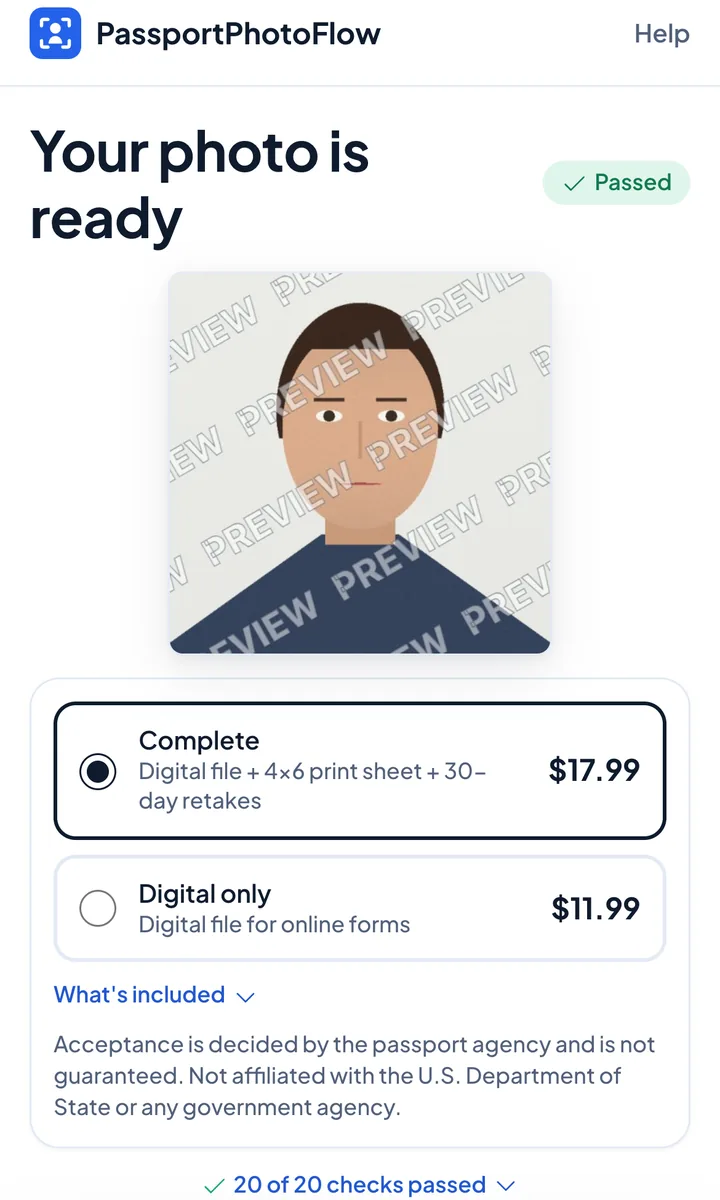
One-time purchase, no subscription. You see your checked photo before you pay.
Not affiliated with the U.S. Department of State or any government agency. We don't submit applications; government fees are separate.
How to do it
- 1
Open PassportPhotoFlow on your phone and choose the document
- 2
Take the photo or upload one; the check runs right away
- 3
Fix anything flagged, pay once, and download your photo
You download a digital photo file sized for online applications; the complete option adds a 4×6 print sheet.
Documents in the app
- U.S. passport (2×2 in)
- U.S. visa (2×2 in)
Good to know
- Your photo is checked against the main U.S. Department of State photo requirements (size, head position, background, glasses, expression, lighting) before you pay
- Take it at home in minutes with your phone
- We never digitally alter your face or background - we only crop and size your photo to the required 2×2 inch size
- Acceptance is decided by the passport agency and is not guaranteed
- Not affiliated with the U.S. Department of State or any government agency
Questions
Is there an iPhone or Android app to download?
You don't need one. PassportPhotoFlow runs in your phone's web browser on iPhone and Android.
What do I get?
A digital photo file sized for online applications. The complete option adds a 4×6 print sheet and free retakes for 30 days.
What happens to my photos?
Photos stay on your device and are deleted automatically 24 hours after upload if unpaid, or 30 days after purchase. You can delete them sooner from your order page.
Open the photo app
Start nowOne-time purchase, no subscription. You see your checked photo before you pay.